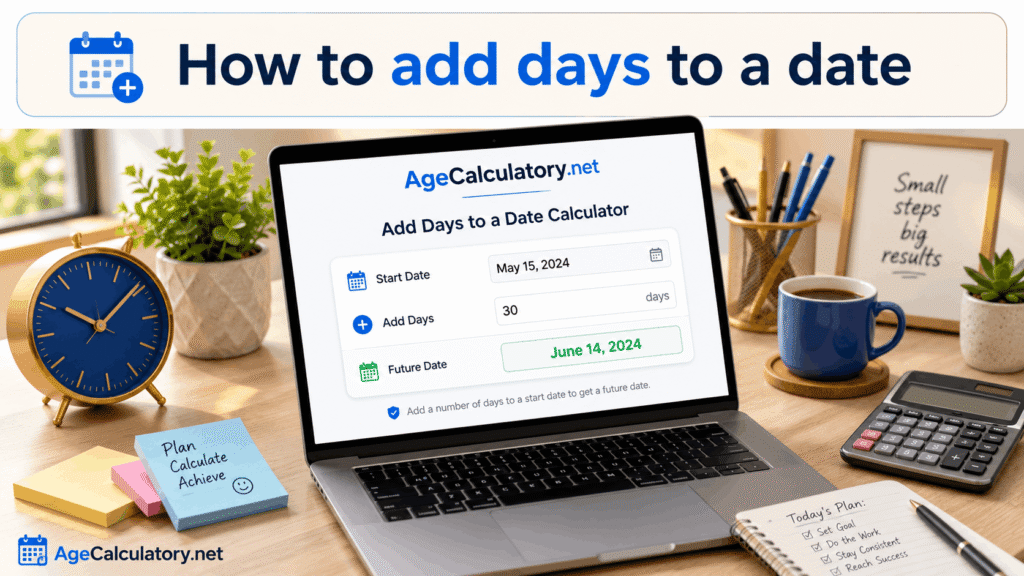
Adding days to a date means finding a future date after a certain number of days. This is useful when you want to calculate deadlines, reminders, event dates, delivery dates, or planning dates.
For example, you may want to know the date after 30 days from today. Instead of counting manually on a calendar, you can use a date calculator to find the result quickly.
What does adding days to a date mean?
Adding days to a date means starting from one date and moving forward by a selected number of days. The final result is the future date.
For example, if today is 1 June and you add 10 days, the result will be 11 June in normal date counting. This means 10 full days have passed after the start date.
Why people add days to a date
People add days to a date for many practical reasons. It is useful for deadlines, appointments, exam preparation, project planning, travel dates, and payment reminders.
It also helps in personal planning. You can find dates after 7 days, 15 days, 30 days, 60 days, 90 days, or any custom number of days.
Simple example
Suppose the starting date is 1 January 2026. If you add 30 days, the future date will be 31 January 2026.
This is simple for short date ranges. But for longer ranges, manual counting becomes difficult because months have different numbers of days.
Why manual counting can be confusing
Manual counting can be confusing because every month is not the same. Some months have 30 days, some have 31 days, and February has 28 or 29 days.
Leap years can also change the result when the date range includes February. That is why using a proper date calculator is safer.
Add 7 days to a date
Adding 7 days means moving exactly one week forward. If the start date is Monday, the date after 7 days will also be Monday.
This is useful for weekly reminders, weekly plans, class schedules, medicine reminders, and short-term goals.
Add 30 days to a date
Adding 30 days is useful for monthly reminders, trial periods, return windows, and payment due dates. However, 30 days is not always equal to one calendar month.
For example, adding 30 days to 1 February may not give the same style of result as adding one calendar month. Days and months are different types of calculation.
Add 60 or 90 days to a date
Adding 60 or 90 days is common in business, legal, medical, academic, and project planning. Many notices, application periods, and deadline windows use these values.
A calculator helps you avoid mistakes because these ranges often cross month boundaries. It can also handle leap years and different month lengths.
Adding days for deadlines
When a form says something like “submit within 15 days,” you may need to find the final date. Adding 15 days to the starting date helps you know the deadline.
But be careful with rules. Some deadlines use calendar days, while others use business days.
Calendar days vs working days
If you add calendar days, every day is counted. Weekends and holidays are included.
If you add working days, weekends and holidays may be skipped. Before calculating, check whether your deadline says calendar days or working days.
Inclusive counting
Some situations count the start date also. This is called inclusive counting, and it may change the final date.
For example, if an event runs for 5 days from Monday and includes Monday, the final day may be Friday. But if you add 5 full days after Monday, the result may be Saturday.
Common mistakes
One common mistake is assuming 30 days is the same as one month. It is not always the same because calendar months have different lengths.
Another mistake is ignoring weekends for business deadlines. If the deadline is based on business days, simple calendar day addition may give the wrong result.Use AgeCalculatory.net
You can use AgeCalculatory.net date tools to calculate future dates easily. Enter the starting date and the number of days you want to add.
This helps you find future dates for deadlines, reminders, events, study plans, work plans, and personal schedules. It is faster than manual calendar counting.
Frequently asked questions
How do I add days to a date?
Choose a start date and add the required number of days. A date calculator can show the final future date instantly.
Is adding 30 days the same as adding one month?
No, not always. Months have different lengths, so 30 days and one calendar month can give different results.
Are weekends counted when adding days?
If you are adding calendar days, weekends are counted. If you are adding working days, weekends may be skipped.
Can I add 90 days to a date?
Yes, you can add 90 days to any date. This is useful for deadlines, notices, and planning.
Do leap years affect date addition?
Yes, leap years can affect results when the date range includes February 29.
Conclusion
Adding days to a date is useful for finding future dates, deadlines, reminders, and planning schedules. It helps you know exactly what date comes after a selected number of days.
The main thing is to know whether you are adding calendar days or working days. Also, remember that days and months are not always the same in date calculations.
Use AgeCalculatory.net to add days to a date quickly and avoid manual counting mistakes.