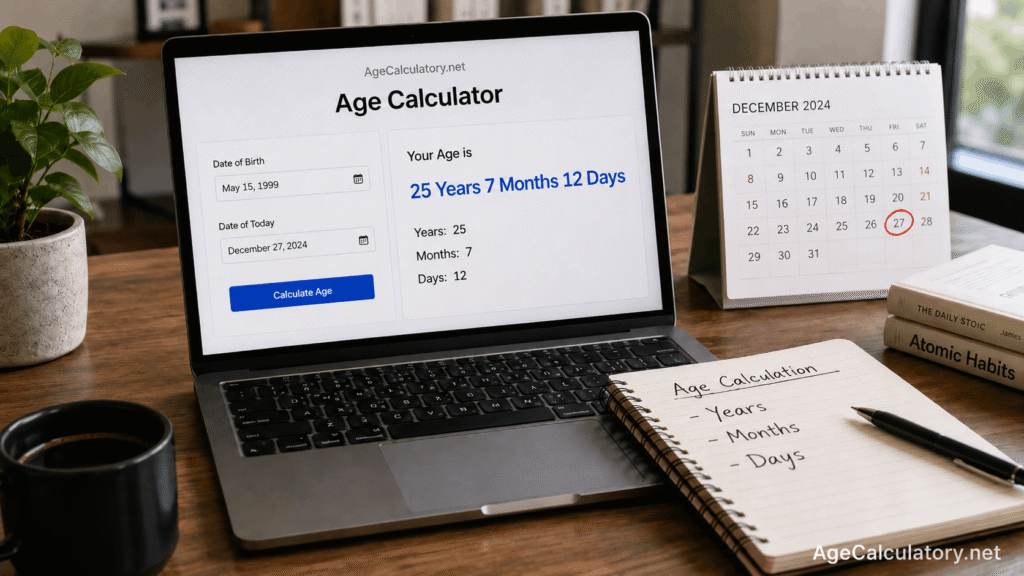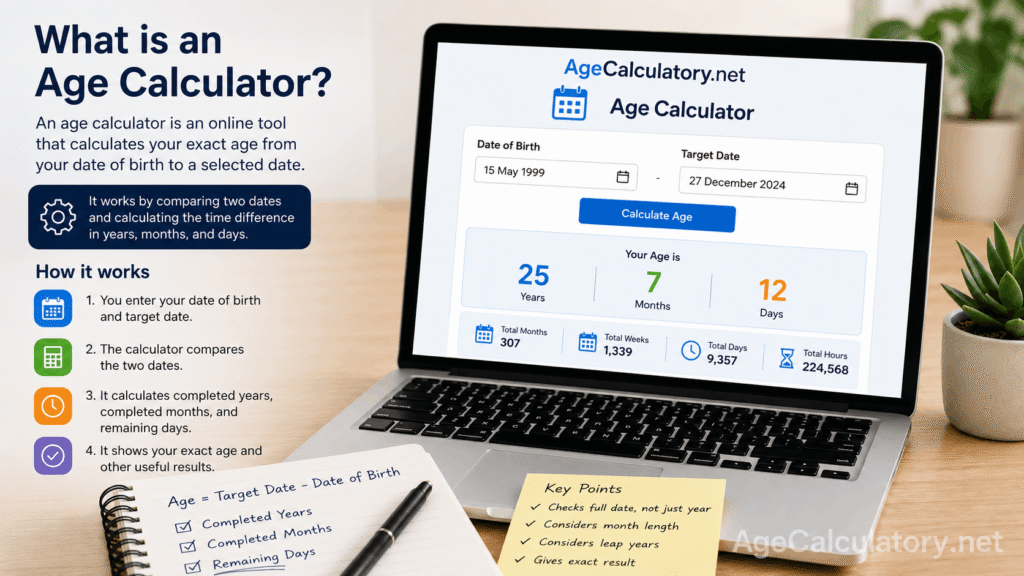
An age calculator is an online tool that helps you find your age from your date of birth.
You enter your birth date, choose the date you want to calculate up to, and the tool shows the result. Most age calculators show age in years, months, and days.
Some tools also show total months, total weeks, total days, next birthday, and days left for your birthday.
What is an age calculator?
An age calculator is a date-based calculator. It compares 2 dates and tells you how much time has passed between them.
The first date is usually your date of birth. The second date is usually today’s date, but it can also be any other date.
For example, if you want to know your age on 1 January 2030, you can use that as the target date.
Why people use an age calculator
People use an age calculator because manual age calculation can be confusing.
Years are easy. Months and days are where mistakes start. February has 28 days in normal years and 29 days in leap years. Some months have 30 days, and some have 31 days.
An age calculator handles those date differences for you.
How an age calculator works
An age calculator takes your date of birth and the target date.
Then it checks how many full years have passed. After that, it checks how many full months have passed after the last birthday. Then it counts the remaining days.
That is how it gives a result like:
25 years, 7 months, 12 days
Basic logic behind age calculation
The basic logic is:
Age = Target date – Date of birth
But the real calculation needs more care.
The tool checks the year, month, and day separately. This helps it avoid wrong results when the birthday has not arrived yet in the target year.
Simple example
Take this example.
Date of birth: 15 May 1999
Target date: 27 December 2024
From 15 May 1999 to 15 May 2024, the person completed 25 years.
From 15 May 2024 to 15 December 2024, the person completed 7 months.
From 15 December 2024 to 27 December 2024, there are 12 days.
So the age is:
25 years, 7 months, 12 days
Why birthday checking matters
Many people calculate age by subtracting the birth year from the current year.
For example:
2026 – 2000 = 26
This can be wrong if the birthday has not arrived yet in 2026.
If the person was born on 10 December 2000 and the target date is 5 March 2026, the person has completed only 25 years.
So the calculator must check the full birth date, not the year alone.
What is a target date?
The target date is the date up to which you want to calculate age.
For most users, the target date is today. But for forms, exams, jobs, and school admissions, the target date may be different.
For example, an exam notification may say:
Age as on 1 August 2026
In that case, you should calculate your age up to 1 August 2026.
Age calculator for date of birth
The most common use of an age calculator is calculating age from date of birth.
You enter your date of birth, and the calculator gives your completed age.
This is useful for forms, records, birthday planning, personal tracking, and quick checking.
Age calculator for years, months, and days
A good age calculator gives age in years, months, and days.
This format is better than only showing years because it gives a fuller result.
For example:
25 years
is a general answer.
25 years, 7 months, 12 days
is a more exact answer.
Age calculator for total days
Some age calculators also show total days.
This tells you how many days you have lived from your birth date to the target date.
For example, a person may be 9,357 days old. This number is useful for birthday milestones, baby tracking, and personal curiosity.
Age calculator for total months
Total months are useful for babies, toddlers, school admission, and age-based forms.
For example, a child who is 4 years and 7 months old is also 55 months old.
Parents and schools often use months when the child is young because years can feel too broad.
Age calculator for total weeks
Total weeks can be useful for babies, pregnancy records, health notes, and personal milestones.
A week always has 7 days, so age in weeks is easy to understand once the total days are known.
The calculator counts total days first, then divides by 7.
How leap years affect age calculation
A leap year has 366 days. A normal year has 365 days.
Leap years matter when the calculator counts total days, weeks, and exact date differences.
They can also affect people born on 29 February. For official rules, people with 29 February birthdays should follow the rule given by the school, exam board, job department, or legal authority.
Why month length matters
Months do not have the same number of days.
January has 31 days. April has 30 days. February has 28 or 29 days.
This is why calculating age manually can become messy when dates are near the end of a month.
For example, age from 31 January to 28 February needs careful handling.
What results can an age calculator show?
An age calculator can show different types of results, depending on how the tool is built.
It may show:
- Age in years, months, and days
- Total months
- Total weeks
- Total days
- Total hours
- Total minutes
- Next birthday
- Days left for birthday
These extra results make the tool more useful for different needs.
Where an age calculator is useful
An age calculator can help with school admission, exam eligibility, job application age limits, birthday planning, baby age tracking, and personal records.
For school, exams, and jobs, always use the correct cut-off date.
A calculator can help you check your age, but the official rule decides eligibility.
Common mistakes while using an age calculator
One common mistake is entering the wrong date format.
For example, 05/10/2000 can mean 5 October 2000 or 10 May 2000, depending on the format.
Another mistake is using today’s date when a form asks for age on a cut-off date.
Some users also enter future birth dates by mistake. A good calculator should show an error for that.
Is an age calculator result official proof?
An age calculator result is useful for checking your age.
For official proof, use accepted documents like a birth certificate, school certificate, passport, Aadhaar card, or government ID.
If you are applying for an exam, school, or job, read the official rules carefully.
How AgeCalculatory.net helps
You can use AgeCalculatory.net to calculate your age from your date of birth.
Enter your birth date and select the target date. The tool can show your age in years, months, and days.
It is useful for quick age checking, birthday planning, and date-based calculations.
Quick tip before using the tool
Check your date of birth before calculating.
Use the date picker if it is available. It reduces date format mistakes.
If you are checking age for a form or notification, use the exact date mentioned in that form.
Frequently Asked Questions (FAQs)
What is an age calculator?
An age calculator is an online tool that calculates age from a date of birth to a selected date.
How does an age calculator work?
It compares your date of birth with the target date. Then it counts completed years, completed months, and remaining days.
Can I calculate age for a future date?
Yes. You can use a future target date to know your age on that date.
Can an age calculator show total days?
Yes. Many age calculators show total days, total weeks, and total months along with years, months, and days.
Does leap year affect age calculation?
Yes. Leap years affect total days and exact date counting because a leap year has 366 days.
Can I use an age calculator for exam eligibility?
Yes, but use the cut-off date given in the official exam notification.
Is an age calculator result official proof?
No. Use official documents for proof. The calculator result is for checking and personal use.
Conclusion
An age calculator helps you find your age from your date of birth. It checks years, months, days, leap years, and target dates. This makes the result clearer than rough manual counting.
Use the Age Calculator on AgeCalculatory.net when you want to calculate your age quickly in years, months, and days.