You can calculate age manually if you know the date of birth and the date up to which you want to calculate age.
Most people calculate age up to today. But for school, exams, jobs, or forms, you may need to calculate age up to a fixed date.
Manual age calculation is easy when the dates are simple. It becomes a little tricky when months, days, and leap years come into the picture.
What manual age calculation means
Manual age calculation means finding age without using an online tool.
You compare the date of birth with the current date or target date. Then you count the completed years, completed months, and remaining days.
For example, if someone was born on 10 January 2000 and the target date is 20 March 2026, the age is 26 years, 2 months, and 10 days.
What you need before calculating
You need 2 dates.
First, you need the date of birth. Second, you need the target date.
The target date can be today, a future date, or a cut-off date given in a form or notification.
For example, if an exam rule says “age as on 1 August 2026,” then 1 August 2026 is the target date. Don’t use today’s date for that case.
Basic idea of manual age calculation
The basic idea is simple.
Start with the target date. Subtract the date of birth from it.
You first calculate years. Then you calculate months. Then you calculate days.
The final answer looks like this:
25 years, 7 months, 12 days
Step 1: Write both dates clearly
Write the date of birth and target date in the same format.
For example:
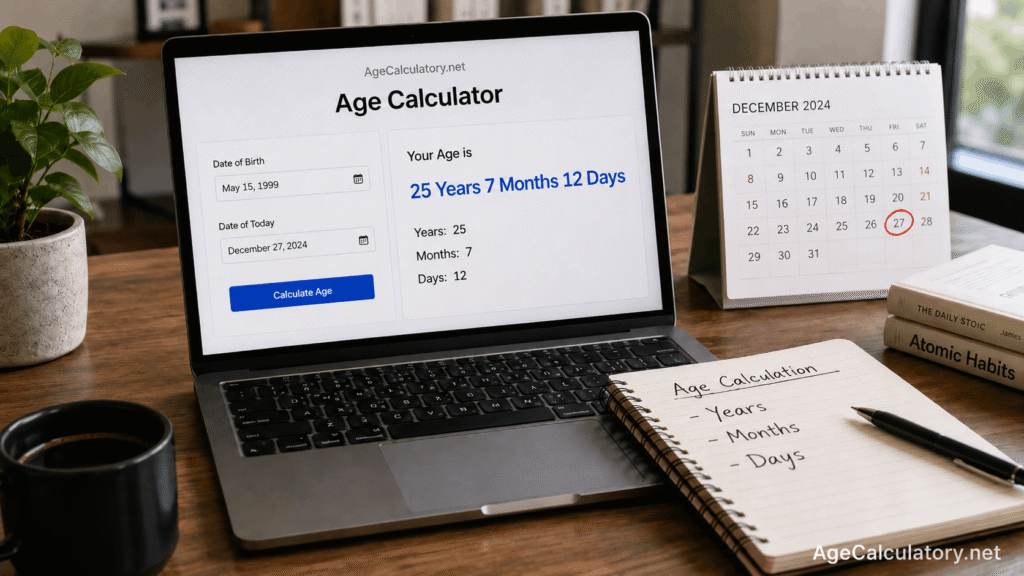
Date of birth: 15 May 1999
Target date: 27 December 2024
Writing both dates clearly helps you avoid silly mistakes. Date format matters a lot because 05/10/1999 can mean 5 October or 10 May, depending on the format.
Use words for months when you are calculating manually. It is safer.
Step 2: Subtract the years
First, subtract the birth year from the target year.
Example:
Target year: 2024
Birth year: 1999
2024 – 1999 = 25 years
Now check if the birthday has already passed in the target year.
If the birthday has already passed, keep the year count as it is. If the birthday has not passed yet, reduce 1 year.
Step 3: Check whether the birthday passed
This step is where many people make mistakes.
Take this example:
Date of birth: 15 May 1999
Target date: 27 December 2024
The birthday on 15 May has already passed in 2024. So the completed years are 25.
Now take another example:
Date of birth: 15 December 1999
Target date: 27 May 2024
The birthday on 15 December has not arrived yet in 2024. So the completed years are 24, not 25.
Step 4: Count the completed months
After counting completed years, count the months from the last birthday to the target date.
Example:
Date of birth: 15 May 1999
Target date: 27 December 2024
The last birthday was on 15 May 2024.
From 15 May to 15 December, there are 7 completed months.
So far, the age is:
25 years, 7 months
Step 5: Count the remaining days
Now count the days from the last completed month date to the target date.
In the same example:
Last completed month date: 15 December 2024
Target date: 27 December 2024
From 15 December to 27 December, there are 12 days.
So the final age is:
25 years, 7 months, 12 days
Full example
Let’s calculate age manually using this example.
Date of birth: 15 May 1999
Target date: 27 December 2024
From 15 May 1999 to 15 May 2024, the person completed 25 years.
From 15 May 2024 to 15 December 2024, the person completed 7 months.
From 15 December 2024 to 27 December 2024, there are 12 days.
So the exact age is:
25 years, 7 months, 12 days
Example when birthday has not passed
Now take another example.
Date of birth: 10 October 2000
Target date: 5 March 2026
If you subtract only the years:
2026 – 2000 = 26
But the birthday on 10 October has not arrived yet in 2026. So the person has completed only 25 years.
Now count from 10 October 2025 to 5 March 2026. The age will be 25 years, 4 months, and some days.
This is why the birthday check is needed.
Example when target day is smaller
Sometimes the target day is smaller than the birth day. Then you may need to borrow days from the previous month.
Example:
Date of birth: 25 May 2000
Target date: 10 August 2026
The day number 10 is smaller than 25. So August is not a completed month yet.
In this case, count completed months only up to 25 July 2026. Then count days from 25 July to 10 August.
This kind of case is where online calculators are easier, because month lengths change.
Why months make manual calculation tricky
All months do not have the same number of days.
January has 31 days. April has 30 days. February has 28 days in normal years and 29 days in leap years.
So manual calculation can become confusing when the dates are near the end of a month.
For example, calculating from 31 January to 28 February is not as clean as calculating from 10 January to 10 February.
How leap years affect manual age calculation
A leap year has 366 days. A normal year has 365 days.
Leap years matter more when you calculate total days, weeks, or exact date difference.
For age in years, months, and days, leap years usually affect the day count when February is part of the calculation.
People born on 29 February may need extra care. For official use, follow the rule given by the school, exam board, job authority, or legal document.
Manual age calculation for school admission
For school admission, always use the school’s cut-off date.
Some schools may say the child must complete 3 years by 31 March. Some may use 1 June or another date.
Example:
Date of birth: 10 April 2022
Cut-off date: 31 March 2026
The child has not completed 4 years by 31 March 2026, because the birthday comes on 10 April.
That small gap can matter.
Manual age calculation for exams and jobs
Exams and jobs often mention age limits with a fixed date.
For example, the rule may say:
Age should be calculated as on 1 January 2026
In that case, calculate age up to 1 January 2026. Don’t calculate it up to today.
Also check age relaxation rules if they apply to your category. The calculator can tell your age, but the official notification tells the rule.
Common mistakes while calculating age manually
The biggest mistake is subtracting only the years.
For example, 2026 – 2000 gives 26. But if the birthday has not come yet in 2026, the completed age is 25.
Another mistake is using the wrong target date. This happens often in exam and job forms.
People also get confused with date formats. 04/05/2000 can mean 4 May or 5 April, depending on the format.
Rough method
If you only need completed years, use this method.
Subtract the birth year from the target year. Then check whether the birthday has passed.
If the birthday has passed, keep the answer. If the birthday has not passed, subtract 1.
This gives completed age in years.
Exact method
If you need exact age, count in this order:
First, completed years.
Then, completed months after the last birthday.
Then, remaining days after the last completed month.
This gives age in years, months, and days.
Use AgeCalculatory.net
Manual calculation is useful when you want to understand the logic.
But for quick results, you can use AgeCalculatory.net.
Enter your date of birth and target date. The tool can show your age in years, months, and days.
It can also help avoid mistakes with leap years, month lengths, and day counting.
Frequently Asked Questions
How do I calculate age manually?
Write the date of birth and target date. Count completed years first, then completed months, then remaining days.
What is the easiest manual method?
The easiest method is to subtract the birth year from the target year and then check whether the birthday has passed.
Why is my manual age calculation wrong?
It may be wrong if you forgot to check whether the birthday has passed. It may also be wrong if you used the wrong target date.
Can I calculate age manually for an exam form?
Yes, but use the cut-off date given in the exam notification. Don’t use today’s date unless the notification asks for it.
Does leap year affect manual age calculation?
Yes, leap years can affect the day count, especially when February is included or when someone was born on 29 February.
Is manual age calculation enough for official proof?
No. Manual calculation can help you check your age, but official proof needs accepted documents like a birth certificate, school certificate, passport, or government ID.
Conclusion
You can calculate age manually by comparing the date of birth with the target date. Count completed years first. Then count completed months. Then count the remaining days.
Manual calculation helps you understand the logic, but an online calculator is faster for exact results. Use the Age Calculator on AgeCalculatory.net when you want a quick age result in years, months, and days.